
Chapter Text
Hello! This work will show you how to code something like this into your fics:

goyo froyo 🩵
Mon, 12 Jan 01:45 PM
blue-eyed rat 🩵: yowai mo 😜
You: sybau
☹️
Yesterday 07:43 PM
blue-eyed rat 🩵: marry me?
You: absolutely not
Today 02:11 AM
blue-eyed rat 🩵: why not :(
You: u r stinky
💔
😘
Seen
There is also a dark mode version if you prefer.
goyo froyo 🩵
Today 10:18 PM
blue-eyed rat 🩵: gimme all the sweets 🍬
You: they're in the fridge u fiend 🙄
You: a whole box of homemade macarons
blue-eyed rat 🩵: YIPPEE!!!
You: which i spent the whole day making btw
You: hours upon hours of meticulous, unpaid labor
blue-eyed rat 🩵: thank you so much
blue-eyed rat 🩵: have i ever told you how much i love you?
blue-eyed rat 🩵: honey
blue-eyed rat 🩵: loml
blue-eyed rat 🩵: my pookie bear
🥰
You: too bad i don't love you back
blue-eyed rat 🩵: MEANIE
☹️
blue-eyed rat 🩵: WHY ARE YOU SO MEAN TO ME
You: jk ily2 <3
Delivered
To start, I'll explain what a work skin is and where to find it. Workskins basically allow you to change the appearance of your fic. You can find more information on the AO3 FAQ, but I'll also demonstrate how to find the workskins page with pictures here. First, go to your dashboard.
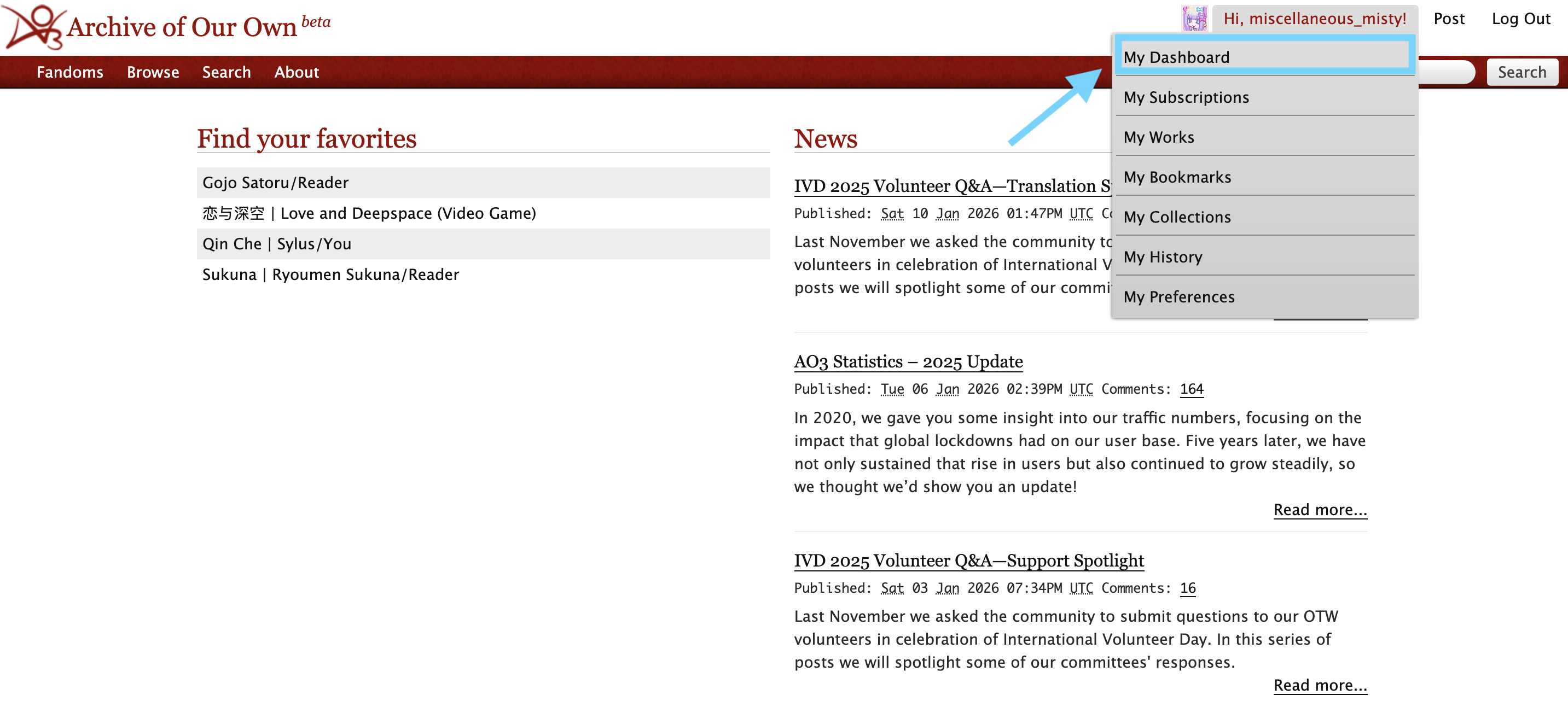
Then, click on "skins."
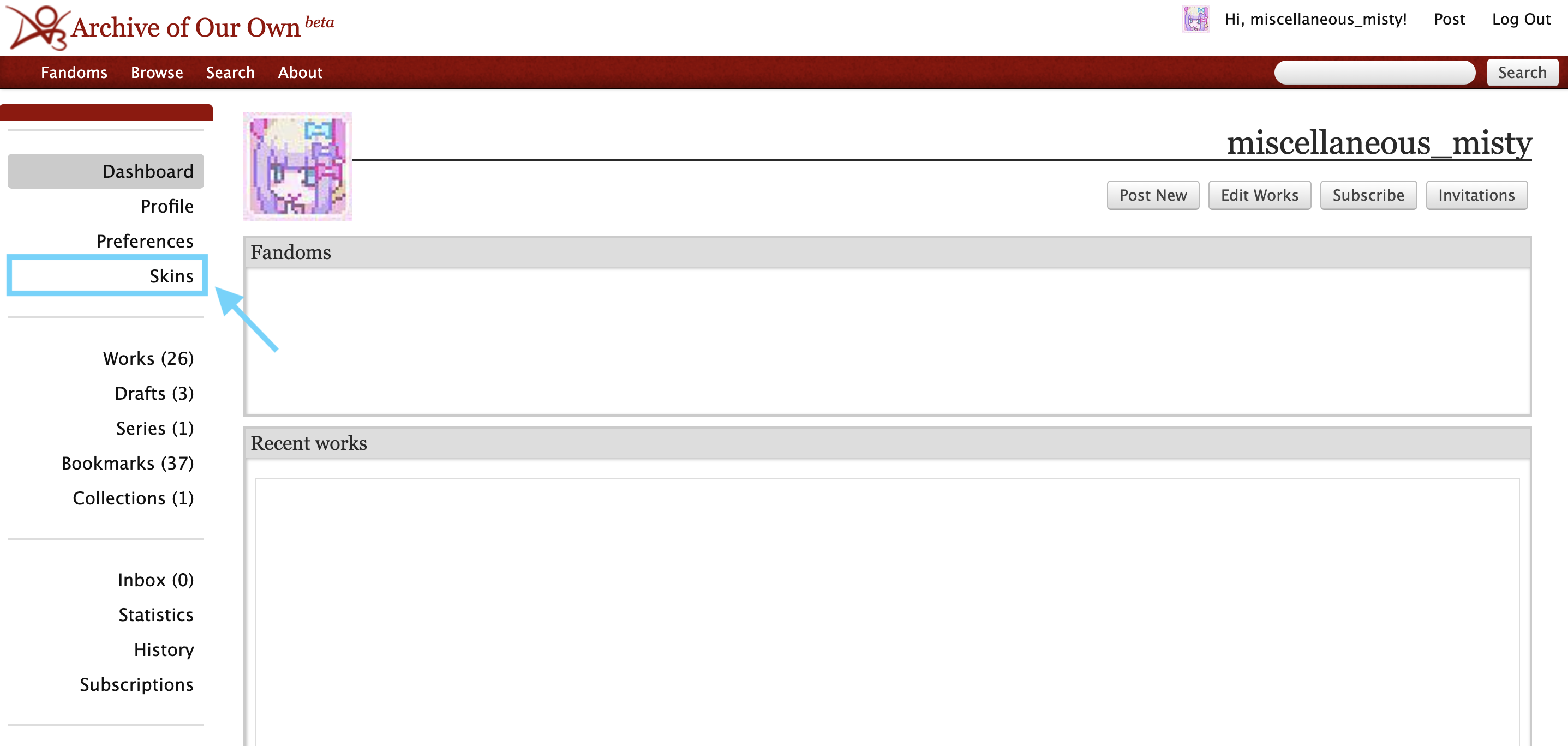
Next, click on "My Work Skins."
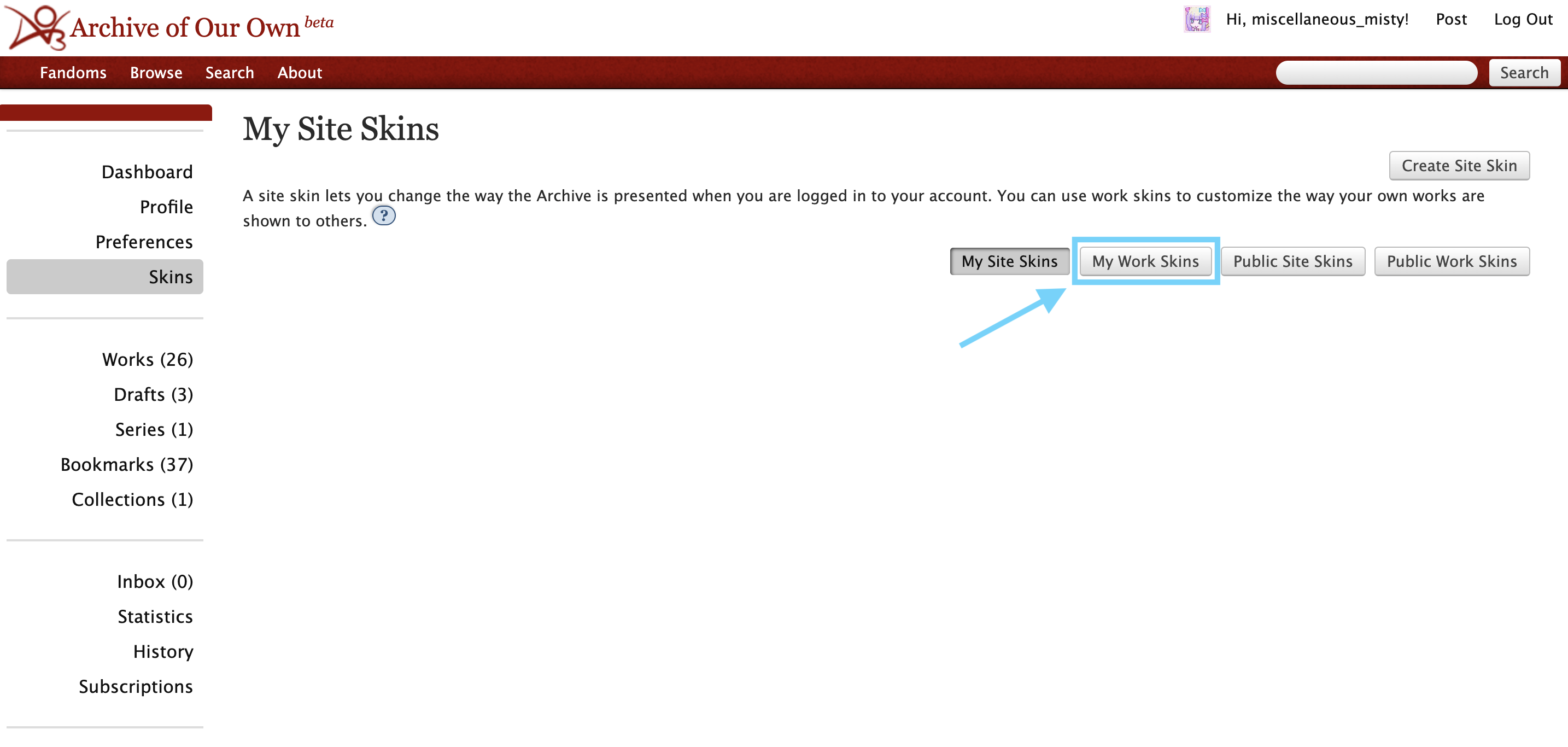
Click on create workskin.
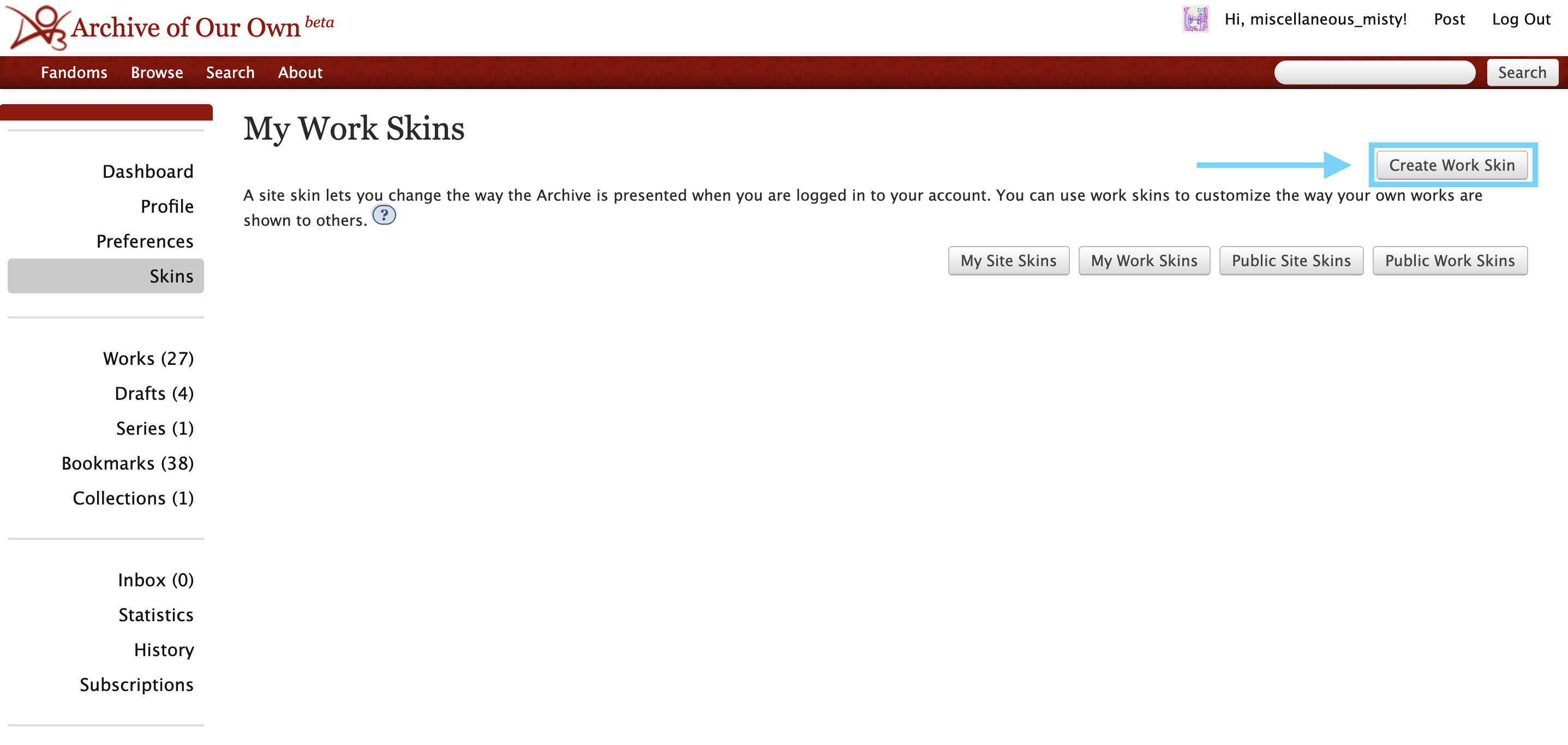
Once you click that, you'll see this page:
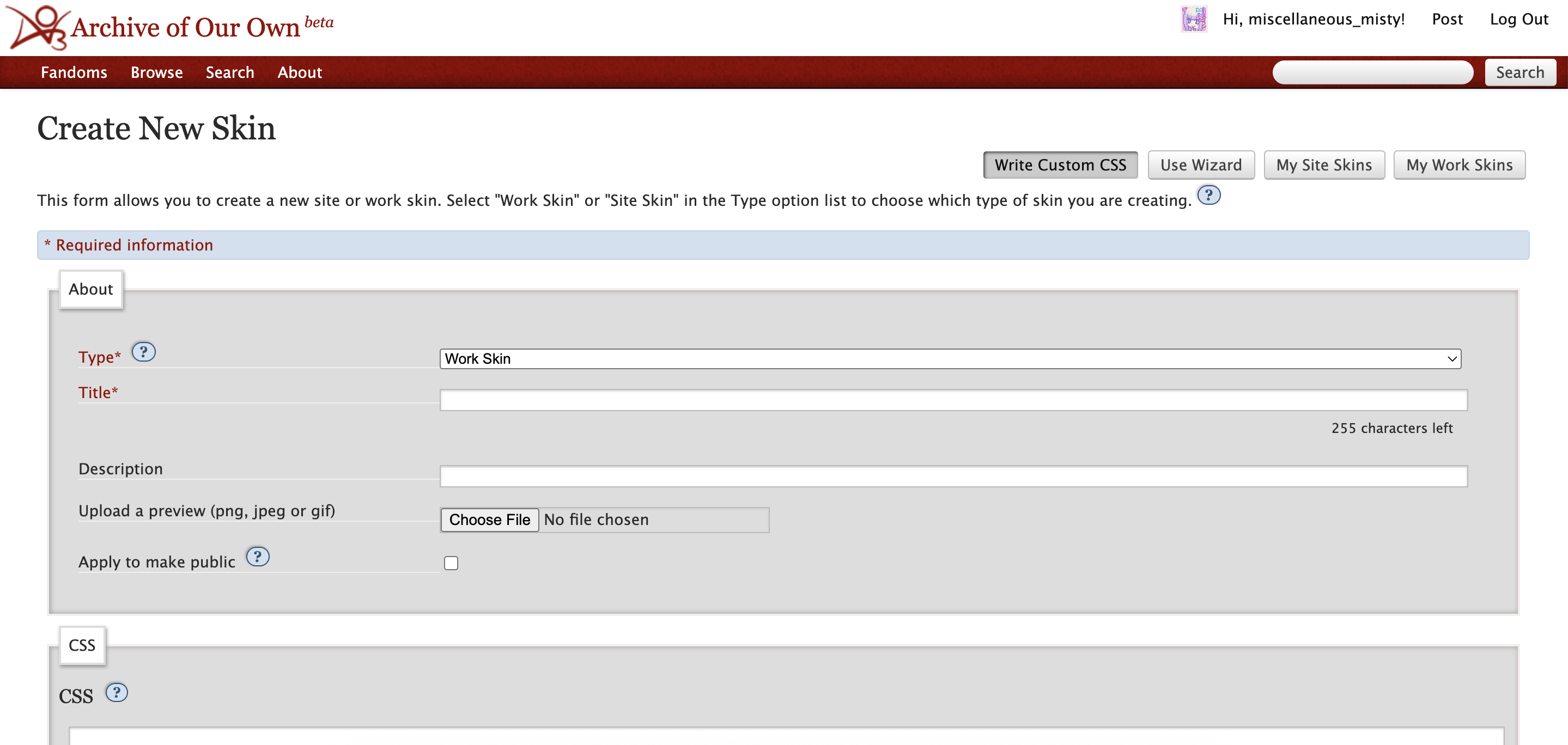
I recommend including your username or nickname into the title for the workskin so you don't have to worry about coming up with a unique title (e.g. "[username] texts").
You can copy the CSS text from chapter 4 and paste it into the CSS box for your work skin.
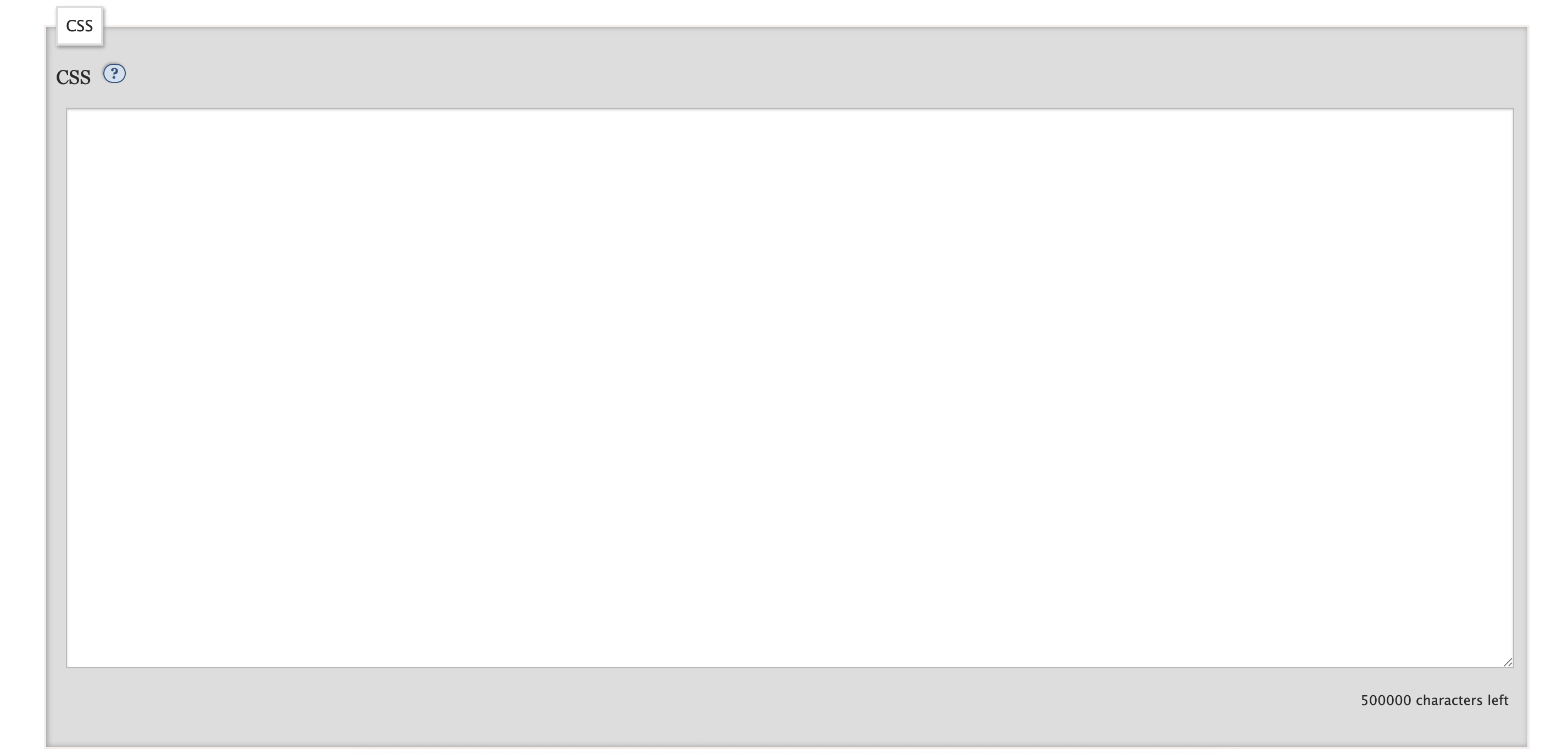
After you paste in the CSS, press "submit" to save the workskin. Congrats! You now have a workskin you can use for your fics.
When you create a new work, make sure you select your workskin in the settings of the fic, otherwise none of the HTML code will work.
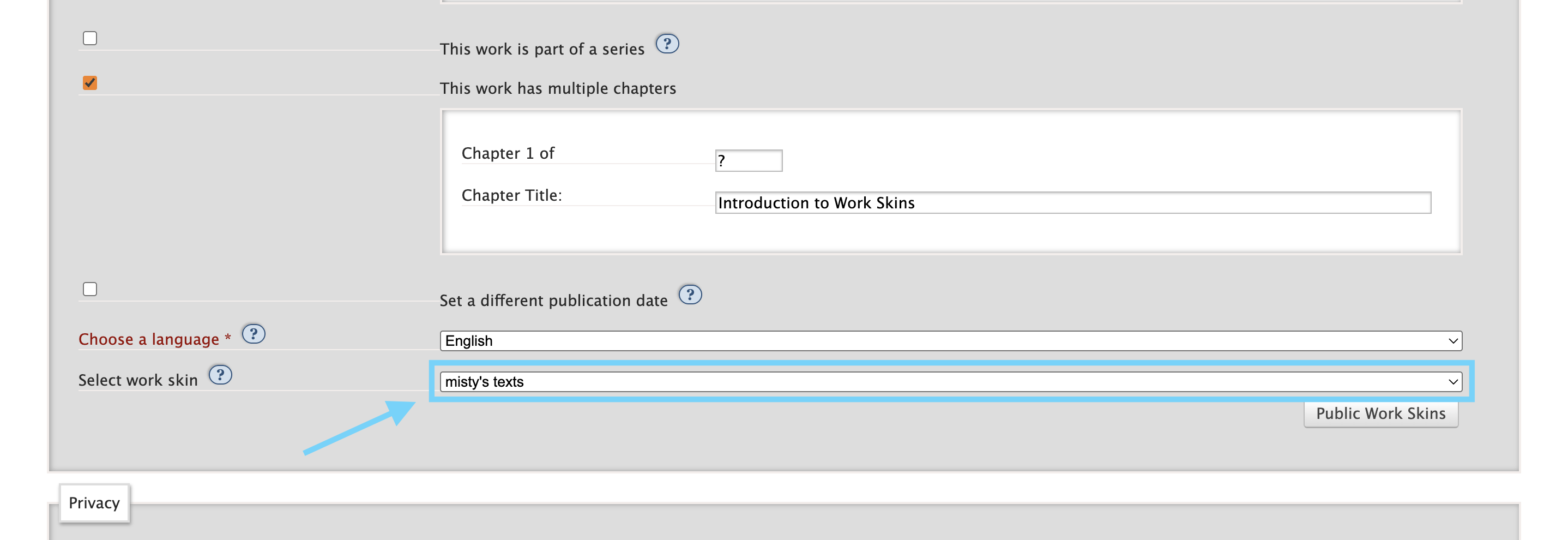
In the next chapter, I'll go over how to use the HTML code in your fic.