
Chapter Text
Hi! My name is Misty and in this work, I'll be showing you how to code something like this into your fics:

Victor

Sat, 21 Mar 05:45 PM
You: I made a CSS skin!
Victor: Do you want a medal?
You: (。•́︿•̀。)
Victor: ...Show it to me later.
You: It's okay if you're not interested. I won't bother you about it anymore.
Victor: I never said you were a bother.
Victor: Hurry up and show me before I change my mind.
You: Yay!
You: By the way, do you have any sweets left over?
Victor: Are you trying to fast track a trip to the dentist?
You: Prepare some pudding, okay?
You: I'll be there soon.
Victor: Don't just make up your mind on your own.
Victor: I won't make it for you.
Victor: Hey, are you listening?
Victor: If you're going to ask for something, you should at least let a person know in advance so they have time to prepare.
Victor: Isn't that basic manners?
You: I'll be looking forward to your delicious baking! ^^
Victor: ...Seriously?
It's a skin similar to the text messages in MLQC. You can scroll through the messages by swiping if you're on mobile or scrolling if you're on desktop.
To start, I'll explain what a work skin is and where to find it. Workskins basically allow you to change the appearance of your fic. You can find more information on the AO3 FAQ, but I'll also demonstrate how to find the workskins page with pictures here. First, go to your dashboard.
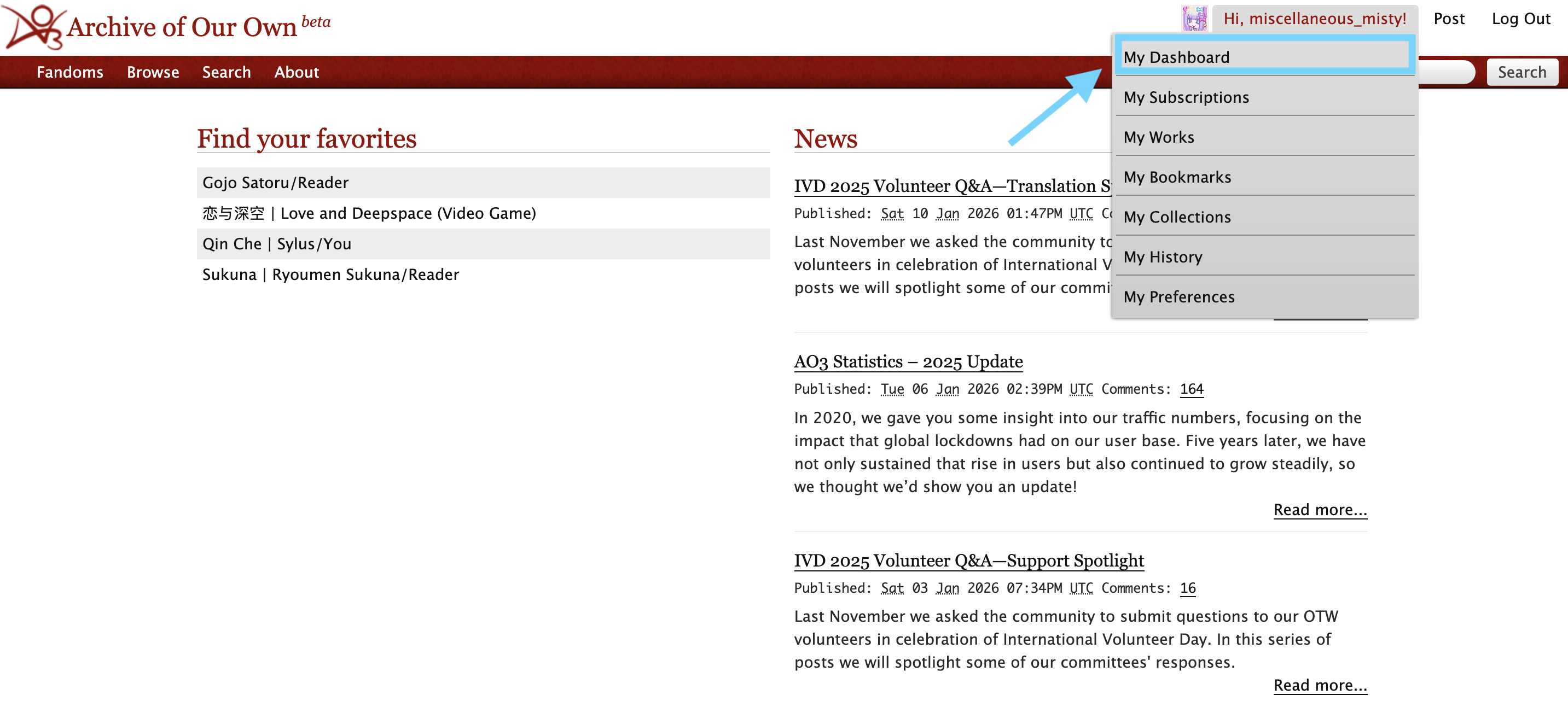
Then, click on "skins."
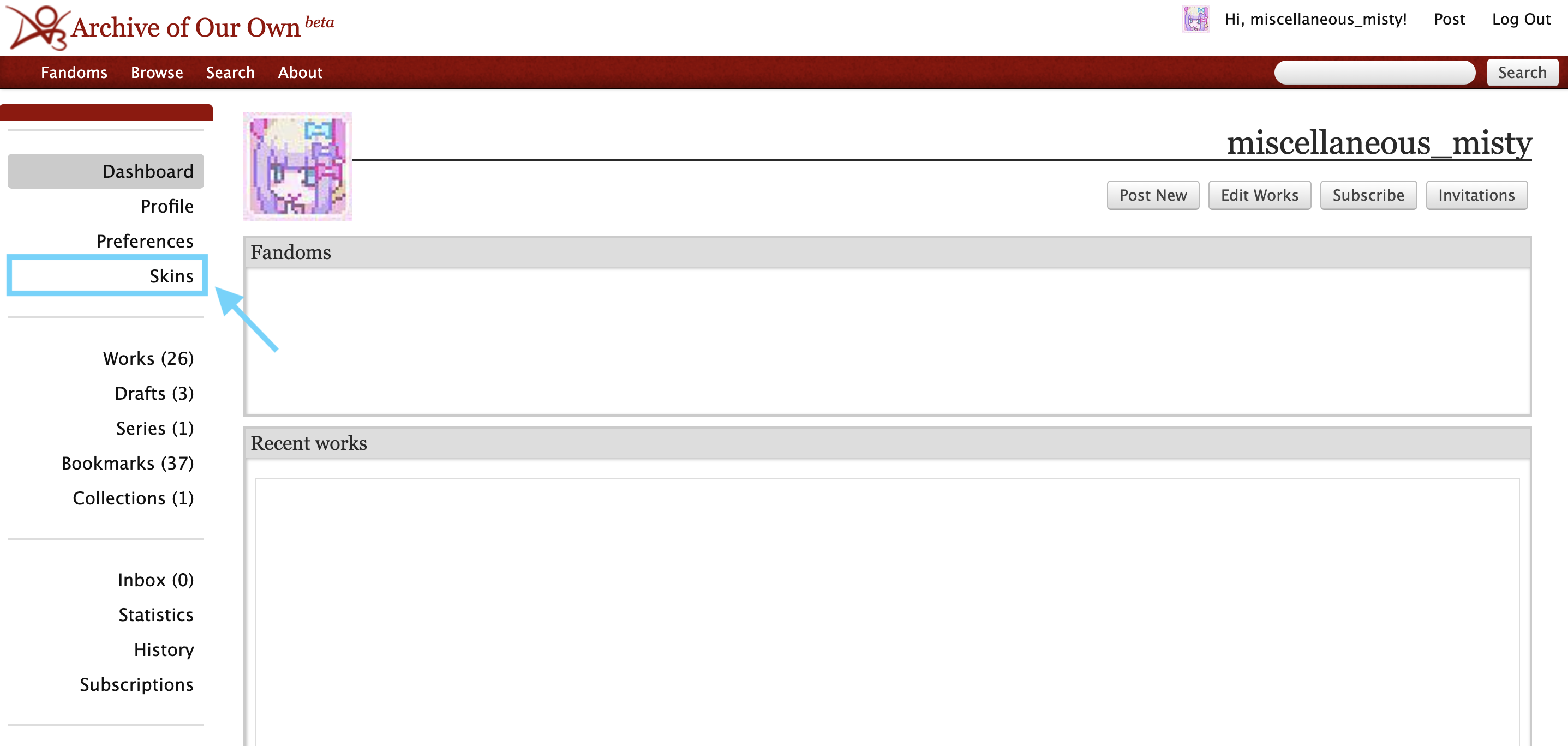
Next, click on "My Work Skins."
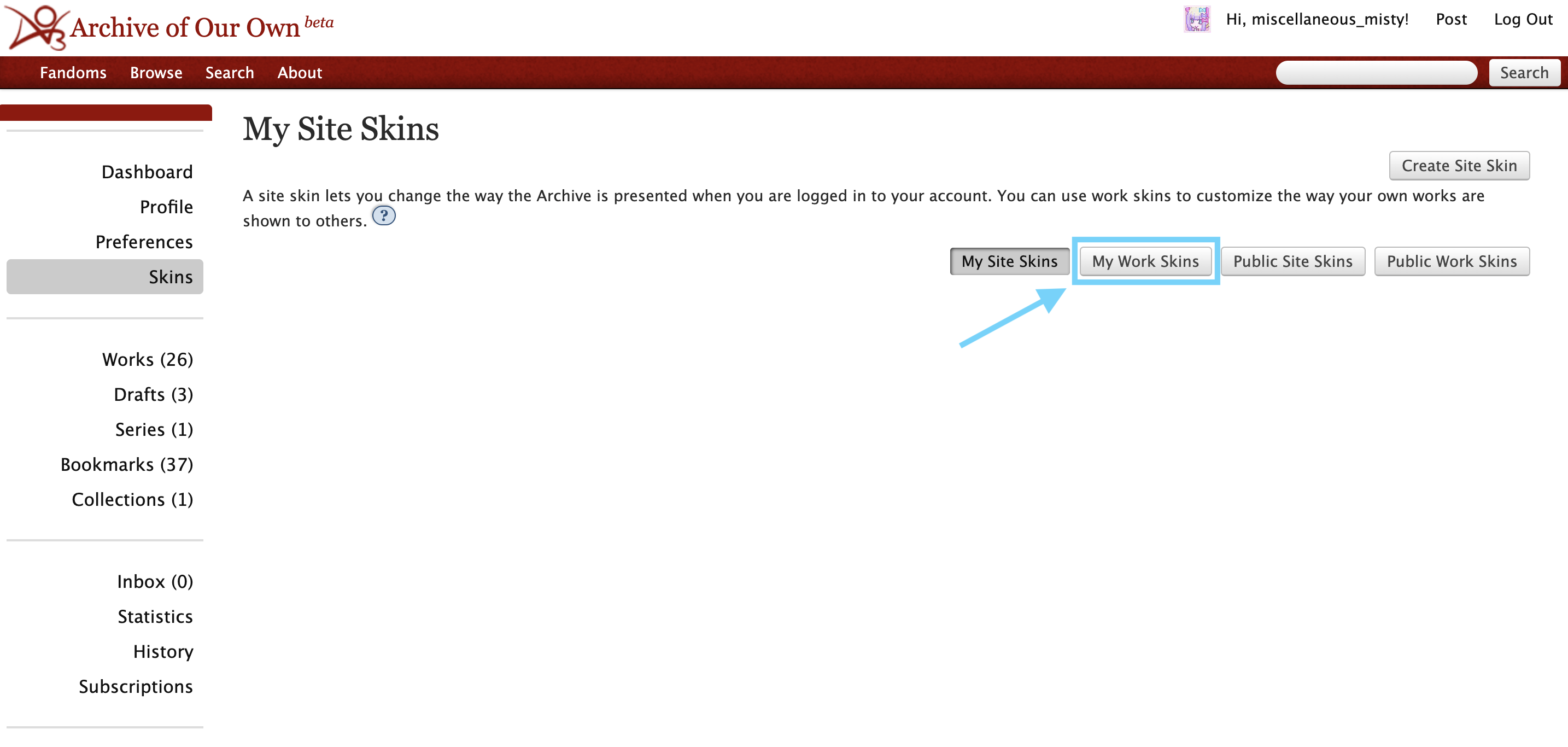
Click on create workskin.
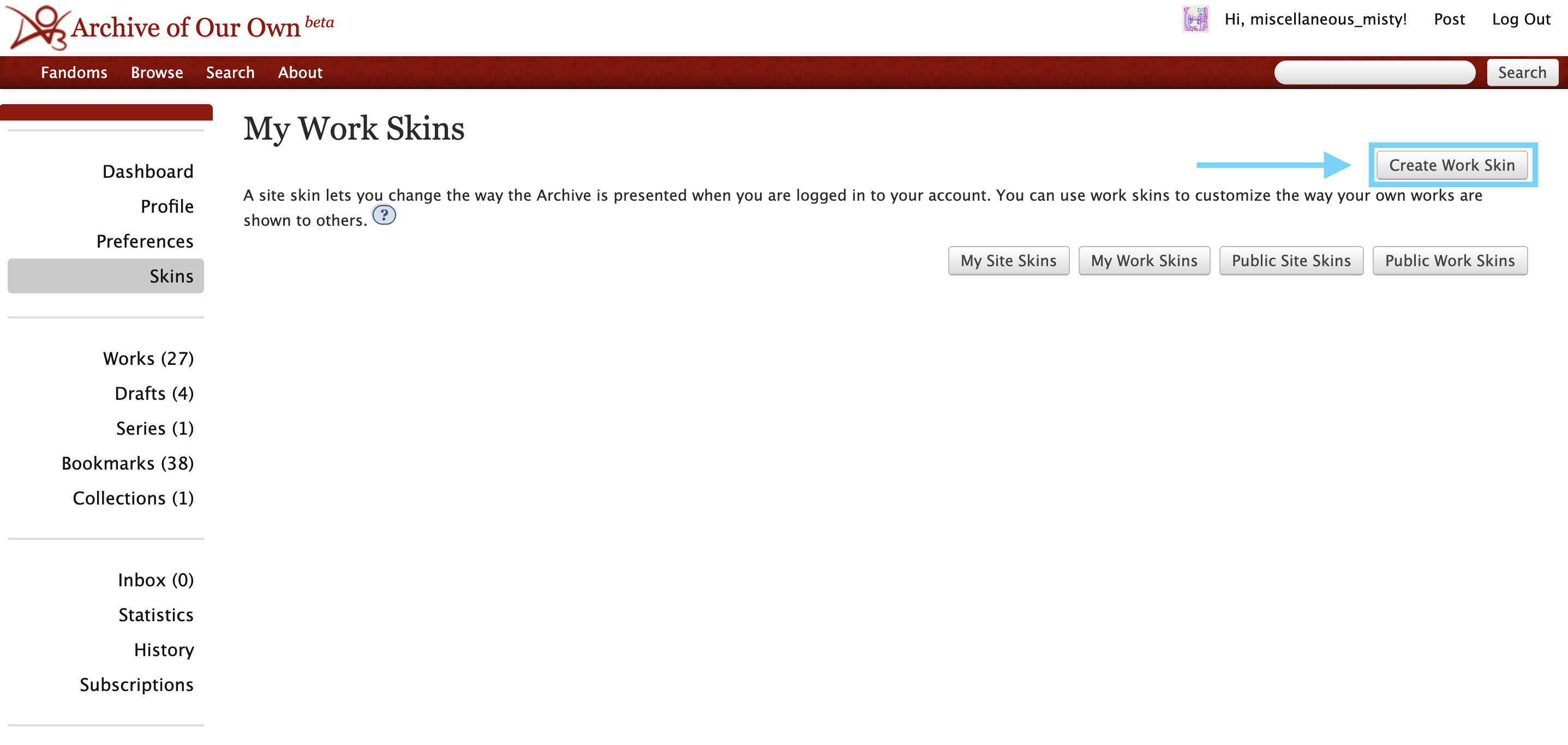
Once you click that, you'll see this page:
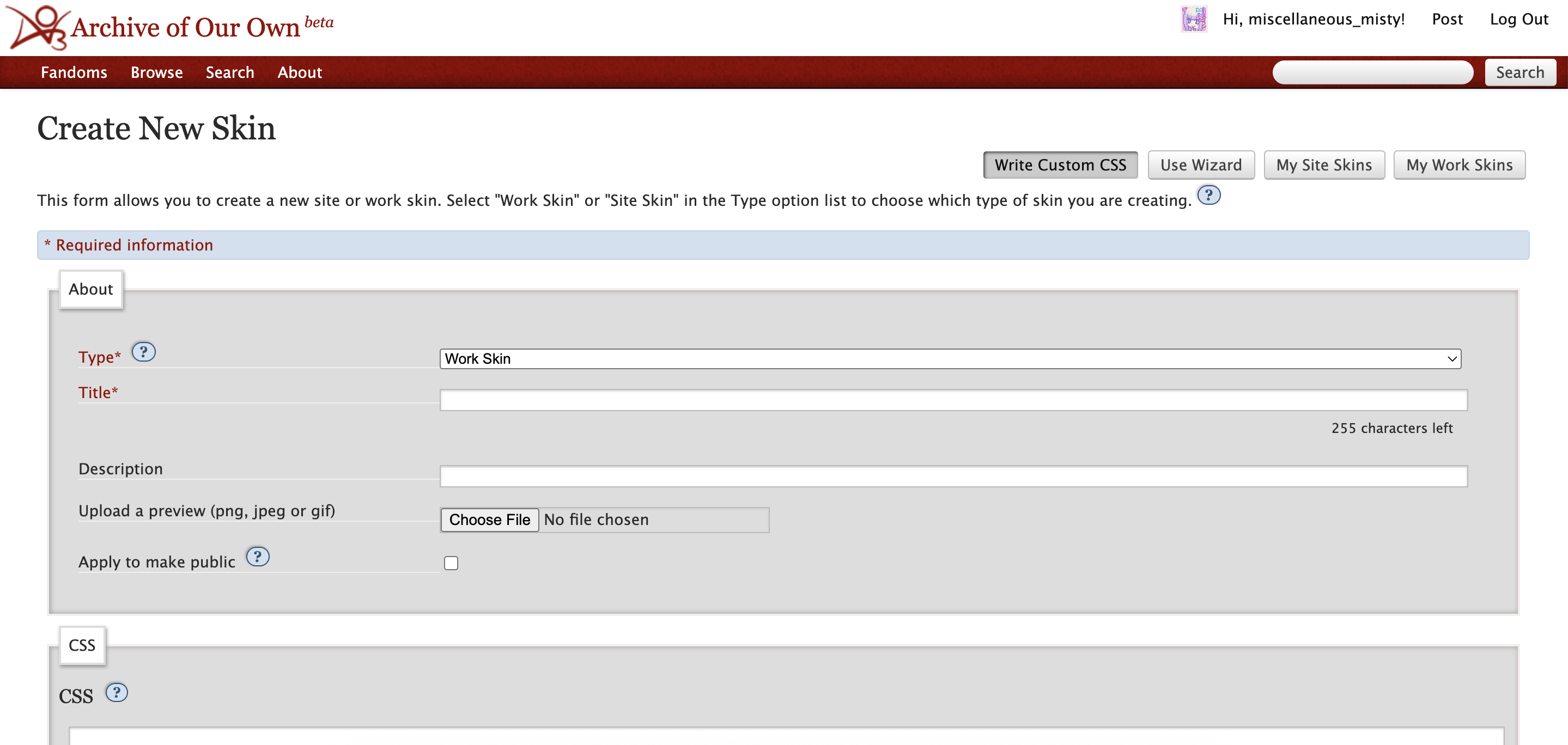
I recommend including your username or nickname into the title for the workskin so you don't have to worry about coming up with a unique title (e.g. "[username] MLQC texts").
You can copy the CSS text from chapter 3 and paste it into the CSS box for your work skin.
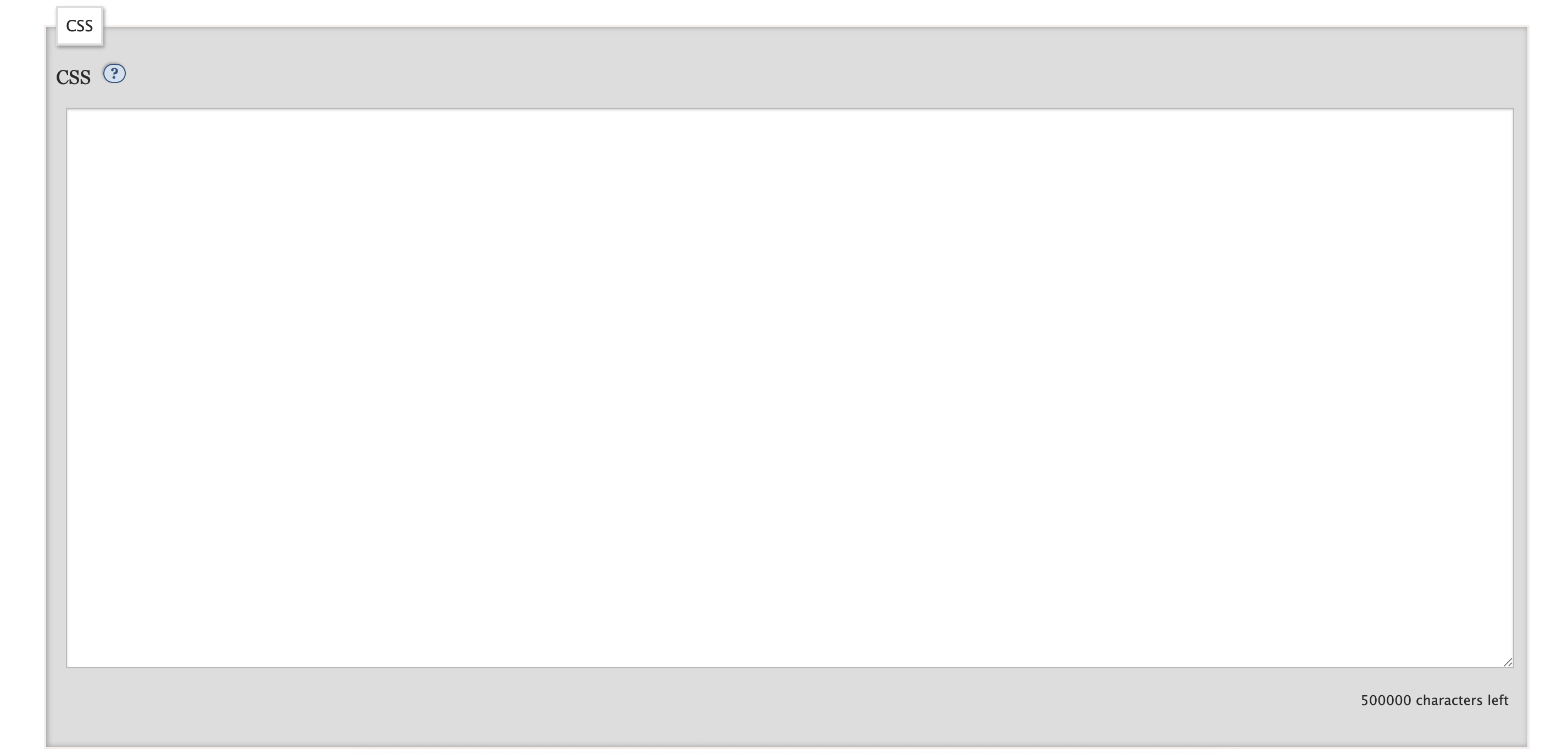
After you paste in the CSS, press "submit" to save the workskin. Congrats! You now have a workskin you can use for your fics.
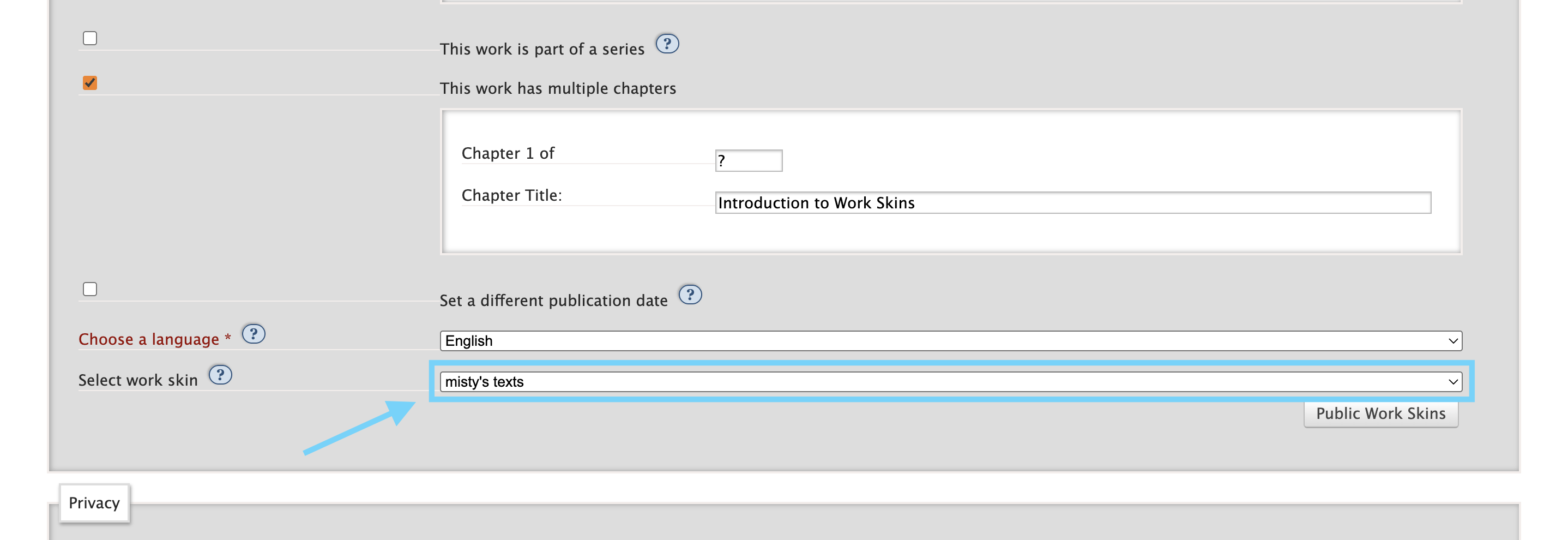
When you create a new work, make sure you select your workskin in the settings of the fic, otherwise none of the HTML code will work.
In the next chapter, I'll go over how to use the HTML code in your fic.